Joe Sandbox Cloud

Automated Deep Malware Analysis in the Cloud for Malware targeting Windows, macOS and Linux.
Joe Sandbox Cloud executes files and URLs fully automated in a controlled environment and monitors the behavior of applications and the operating system for suspicious activities. All activities are compiled into comprehensive and detailed analysis reports.
Analysis reports, containing key information about threats, enable cyber-security professionals to deploy, implement and develop appropriate defense strategies and protection mechanisms.
Joe Sandbox Cloud enables use through an online web service and enables analysis of any malware targeting Windows-, macOS and Linux based operating systems.
Joe Sandbox Cloud is fully private. No sample or analysis data are shared or uploaded to any third parties!
Joe Sandbox Cloud is a web service, hosted by Joe Security. The web service enables cyber-security professionals to upload files and URLs for testing, downloadable analysis reports and other threat intelligence data.

Cloud Basic
Get started with core threat analysis essentialsFREE
Includes:
-
Samples & results publicly shared
-
Single user
-
15 monthly analyses
-
Live Interaction 2 minutes
-
Limited reporting formats
-
Limited RESTful API
Cloud Pro
Advanced in-depth analysis and comprehensive reportingRequest offer
Includes:
-
Private analyses & results
-
Min 5 users
-
Min 100 analyses/month
-
Live Interaction up to 30 minutes
-
All reporting formats
-
RESTful API for SOAR/SIEM/EDR integration
-
Analysis on Win, macOS and Linux
-
Fully automated e-mail monitoring
Cloud Enterprise
Enterprise-grade fully automated analysis at global scale.Request offer
Includes:
-
Private analyses & results
-
Unlimited users
-
From 200 analyses/day
-
Single-tenant architecture
-
All reporting formats
-
Live Interaction up to 30 minutes
-
RESTful API for SOAR/SIEM/EDR integration
-
Analysis on Win, macOS and Linux
-
Fully automated e-mail monitoring
Compare features
| Basic | Pro Windows | Pro Ultimate | ||
|---|---|---|---|---|
|
Private Subscriptions, no Sample or Analysis Result Sharing
|
Basic
|
Light
|
Pro Windows
|
Pro Ultimate
|
|
Get access to the REST WEB API
|
Basic
limited
|
Light
|
Pro Windows
|
Pro Ultimate
|
|
Basic
2 min
|
Light
2 min
|
Pro Windows
2 min
|
Pro Ultimate
10 min
|
|
|
Extended Live Interaction (optional)
|
Basic
|
Light
|
Pro Windows
30 min
|
Pro Ultimate
30 min
|
|
SSO support
|
Basic
|
Light
|
Pro Windows
|
Pro Ultimate
|
|
Download deep Analysis Report in JSON and XML
|
Basic
|
Light
|
Pro Windows
|
Pro Ultimate
|
|
Download low level Function, Event log, AMSI and Powershell Reports
|
Basic
|
Light
|
Pro Windows
|
Pro Ultimate
|
|
Download created / dropped Files, String Files, Screenshots, MISP Report, MAEC Report, unpacked PE files, memory Dumps
|
Basic
|
Light
|
Pro Windows
|
Pro Ultimate
|
|
Analysis on Windows 7 x64
|
Basic
limited
|
Light
|
Pro Windows
|
Pro Ultimate
|
|
Analysis on Windows 10 x64
|
Basic
limited
|
Light
|
Pro Windows
|
Pro Ultimate
|
|
Analysis on Windows 11 x64
|
Basic
|
Light
|
Pro Windows
|
Pro Ultimate
|
|
Analysis on macOS Mojave (VM, Intel x64)
|
Basic
|
Light
|
Pro Windows
|
Pro Ultimate
|
|
Analysis on Native (Intel x64) macOS Mojave, Big Sur and Monterey
|
Basic
|
Light
|
Pro Windows
|
Pro Ultimate
|
|
Analysis on Native Apple Silicon (ARM64) macOS Ventura, Sonoma and Sequoia
|
Basic
|
Light
|
Pro Windows
|
Pro Ultimate
|
|
Analysis on Linux CentOS 7
|
Basic
|
Light
|
Pro Windows
|
Pro Ultimate
|
|
Analysis on Linux Ubuntu 16.04 - 22.04
|
Basic
|
Light
|
Pro Windows
|
Pro Ultimate
|
|
Analysis on Native Machines
|
Basic
limited
|
Light
|
Pro Windows
|
Pro Ultimate
|
|
Submit Cookbooks to automate advanced User Behavior
|
Basic
|
Light
|
Pro Windows
|
Pro Ultimate
|
|
Use Hybrid Code Analysis (HCA)
|
Basic
|
Light
|
Pro Windows
|
Pro Ultimate
|
|
Use Execution Graph Analysis (EGA)
|
Basic
|
Light
|
Pro Windows
|
Pro Ultimate
|
|
Use your own Yara to detected malware in memory dumps, samples and downloaded files
|
Basic
|
Light
|
Pro Windows
|
Pro Ultimate
|
|
Use your own Sigma to detected malware based on behaviors
|
Basic
|
Light
|
Pro Windows
|
Pro Ultimate
|
|
Use your own Suricata rules to detect network patterns
|
Basic
|
Light
|
Pro Windows
|
Pro Ultimate
|
|
Access Joe Sandbox View - threat hunting engine
|
Basic
limited
|
Light
|
Pro Windows
|
Pro Ultimate
|
|
Basic
|
Light
|
Pro Windows
|
Pro Ultimate
|
|
|
Basic
|
Light
|
Pro Windows
|
Pro Ultimate
|
|
|
Basic
|
Light
|
Pro Windows
|
Pro Ultimate
|
|
|
Use Joe Sandbox AI
|
Basic
|
Light
|
Pro Windows
Optional
|
Pro Ultimate
Optional
|
|
Max file upload size
|
Basic
100MB
|
Light
100MB
|
Pro Windows
100MB
|
Pro Ultimate
750MB
|
|
Number of Accounts included
|
Basic
1
|
Light
1
|
Pro Windows
5
|
Pro Ultimate
5
|
|
Premium Support Packages
|
Basic
|
Light
optional
|
Pro Windows
optional
|
Pro Ultimate
optional
|
|
Analyses volume
|
Basic
15 per month
|
Light
50 per month
|
Pro Windows
Predefined packages.
|
Pro Ultimate
|
Comprehensive Reports
Joe Sandbox Cloud generates very detailed analysis reports about system, network, browser and tampering/code manipulation behavior. The report includes evaluations and additional data about strings, domains and file structures. Matching generic signatures highlight suspicious and malicious key behavior. Classification and threat scores help to detect sophisticated cyber-attacks quickly. A context based search enables to quickly navigate.

All Files on all Platforms
Joe Sandbox Cloud enables analysis of all executable files (including malicious documents) on Windows 10 and Windows 10 x64. In addition Joe Sandbox Cloud analyses files on macOS (Intel and Apple Silicon) and Linux.

Analysis of Office Files
Joe Sandbox Cloud analyses Office files for Microsoft Word, Excel and Powerpoint. Support for additional Office suites can be easily added.

2580+ Generic and Open Behavior Signatures
Joe Sandbox Cloud uses a growing set of over 2580+ generic Behavior Signatures to detect and classify malicious behavior activities such as Exploiting and Shellcode (for malicious documents), Persistence, Boot Survival, Spreading, Data Spying and Leakage and C&C Communication. Behavior Signatures are extendable and customizable and optionally are shared within a community.
Virtual and Physical Analysis Systems
Joe Sandbox Cloud enables to use a mix of virtual and physical analysis machines for analysis. Physical devices are very helpful in order to deal with evasive malware which may not run on virtual systems.

Interact with the Analysis Machine
With Joe Sandbox Cloud analysts can directly connect to the analysis machine and click manually through complex malware installers or phishing attacks. The remote assistance option is fully embedded in the browser and therefore no additional software has to be installed. Live Data such as behavior, Yara and Sigma signature hits as well as IOCs are shown in real time.
HTTPS Inspection
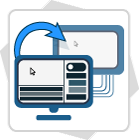
Joe Sandbox Cloud enables to inspect HTTPS traffic. Similiar to a next generation firewall Joe Sandbox Cloud installs a MITM SSL Proxy which intercepts and analyzes any SSL traffic. This allows to inspect malicious HTTPS C&C traffic which is often used in APTs.
LIA - Localized Internet Anonymization
Joe Sandbox Cloud includes LIA. LIA enables to route all traffic through a selected country. This allows to analyze country-aware malware.

Proxy Mode
Joe Sandbox Cloud enables you to route intercepted HTTPS traffic through custom proxies, providing greater flexibility and control during analysis. This is particularly valuable when examining phishing sites that detect and restrict specific exit points. By using your own proxy infrastructure, you can better control the HTTPS exit location and ensure more reliable website loading.

Multilayered System with intelligent Chaining
Joe Sandbox Cloud implements an intelligent malware analysis chain, starting with coarse grained and ending with in-depth fine grained malware analysis techniques. The intelligent chain enables to sort out uninteresting samples and focus on the most interesting malware samples.

Mail Monitor
Joe Sandbox Cloud includes Mail Monitor which enables customer to create custom abuse and user spotted phishing e-Mail boxes. All attachments and URLs of received e-Mails are inspected automatically. Sender and security team gets notified.

Execution Graphs
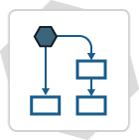
Joe Sandbox Cloud generates highly condensed control flow graphs, so called Execution Graphs. Execution Graphs enable to detect evasions against malware analysis systems. Furthermore Execution Graphs allow to rate the behavior by looking at API chains, execution coverage and loops. Joe Sandbox Cloud also includes extensive library code detection.
Yara
Joe Sandbox Cloud allows to use Yara Rules for advanced malware detection. Joe Sandbox Cloud forwards all samples, downloaded files, resources as well as memory dumps to Yara. In addition Joe Sandbox Cloud features a nice web based Yara Rule editor. Tired of updating Yara rules? Joe Sandbox Cloud enables to automatically synchronize with GitHub repositories contain Yara rules.

Sigma
Joe Sandbox Cloud allows to use Sigma Rules for threat detection. Joe Sandbox currently supports many Sigma events including process_creation and Sysmon. In addition Joe Sandbox Cloud features a nice web based Sigma Rule editor. Tired of updating your Sigma rules? Joe Sandbox Cloud enables to automatically synchronize with GitHub repositories contain Sigma rules.

IDS Network Analysis
Joe Sandbox Cloud enables to analyze automatically the network data via Suricata and "The Bro Network Security Monitor". Suricata with e.g. Emerging Threats ETOpen/ETPro rules detects malicious IPs, Domains or other network artifacts and Files extracted by Bro are automatically uploaded to Joe Sandbox.

Extensive supplementary Analysis Data
In addition to analysis reports in HTML, XML and JSON formats, Joe Sandbox Cloud captures and generates supplementary data. This includes created files, unpacked PE files, memory dumps, PCAP of the captured network traffic (incl. decrypted HTTPS), screenshots, shellcode and strings.

Reports provided in all relevant Formats
Joe Sandbox Cloud reports are provided in all relevant export formats, ranging from common data exchange formats (XML, JSON) and document types (HTML, PDF) to malware security standards such as MAEC, CybOX, MISP and OpenIOC. Therefore, Joe Sandbox Cloud reports can be seamlessly integrated with other tools and platforms.

Threat Intelligence
Joe Sandbox Cloud includes the threat intelligence database Joe Sandbox View. View provides threat intelligence context and enables to perform very deep search queries such as assembly instructions, argument values of APIs but also classic IOCs such as IPs, domains, HTTP, dropped files etc.

RestFul WEB API
Joe Sandbox Cloud allows for seamless integration into existing threat intelligence systems. It has a simple RestFul WEB API which enables file upload, analysis data download, searches, filters, alerts and more. Example scripts in Python allow a fast integration.

High Detection Precision
Joe Sandbox Cloud is tuned to detect malicious samples with high precision. Extensive tests have shown an average false positive rate < 2% and false negative rate < 6% for PE files. Besides the detection status (clean, suspicious or malicious) Joe Sandbox Cloud generates a detailed confidence score - outlining how certain the system is about the detection.